
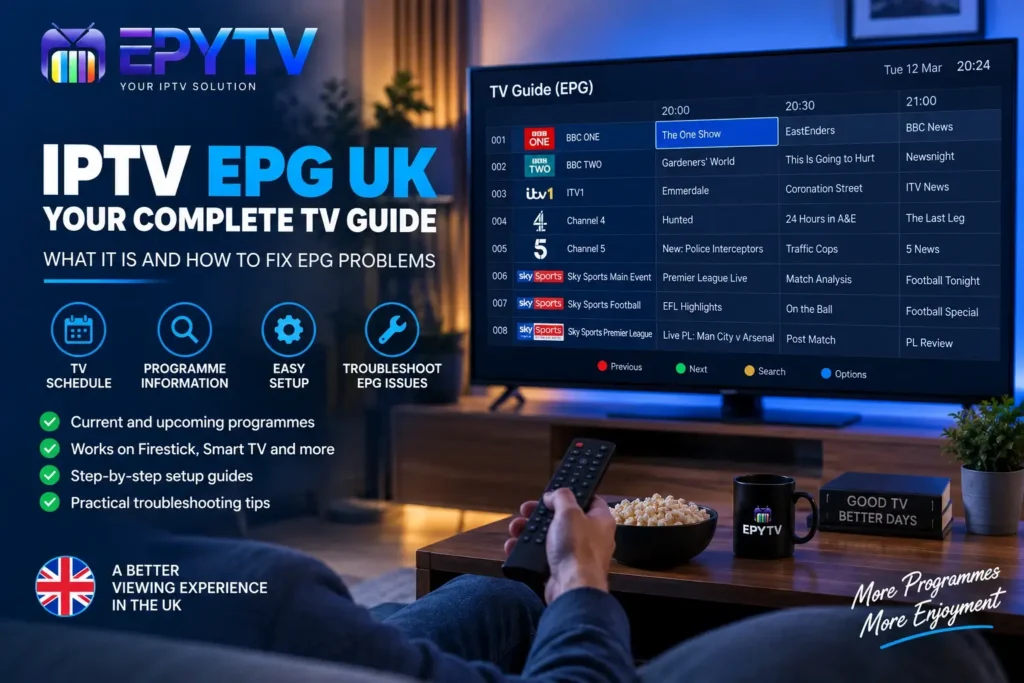
If you use IPTV in the UK, you have probably come across the term EPG while setting up your IPTV player. EPG stands for Electronic Programme Guide and works like the TV guide you find on a traditional television service. It can show programme names, start times, upcoming programmes and other useful information directly inside your IPTV application.
READY TO GET STARTED?
Choose Your IPTV UK Plan
Set up your IPTV service on your compatible device and enjoy a simple viewing experience.
Easy Setup • Secure Payment • Flexible Viewing
What Is IPTV EPG?
EPG means Electronic Programme Guide. In IPTV, it is the section of your application that displays television programme information alongside your channel list.
Without an EPG, an IPTV playlist can simply show a long list of channels. You may know the channel name, but you might not know what is currently playing or what programme is coming next.
With an EPG, compatible IPTV applications can display this information in a familiar TV-guide format. Depending on the service and application, you may see the current programme, upcoming programmes, programme times and descriptions.
This can be particularly useful when you have a large IPTV playlist and want to find a specific programme without opening channels one by one.
How Does an IPTV EPG Work?
An IPTV EPG works by using programme-guide data and matching it with the channels in your IPTV playlist.
Your IPTV application needs to know which guide information belongs to which channel. When the information is correctly matched, the application can display the programme schedule next to the corresponding channel.
There are several elements involved in the process:
- Your IPTV playlist needs to load correctly.
- The channels need to be recognised by the IPTV application.
- Programme-guide data needs to be available.
- The guide information needs to match the relevant channels.
- Your IPTV player needs to support EPG functionality.
- Your device needs a working internet connection.
If one of these elements is missing or incorrectly configured, the EPG may appear empty, incomplete or show incorrect programme information.
What Does an IPTV EPG Show?
The exact design depends on the IPTV player you are using. Some applications display a simple list, while others provide a full electronic TV guide with channels arranged alongside programme times.
Typical EPG information can include:
| EPG Information | What It Shows |
|---|---|
| Channel Name | The name of the available TV channel. |
| Current Programme | The programme currently scheduled. |
| Next Programme | The programme scheduled after the current one. |
| Start Time | The scheduled start time of a programme. |
| Description | Additional programme information when available. |
Why Is EPG Useful for IPTV Users in the UK?
One of the main advantages of an EPG is easier navigation.
An IPTV playlist can contain a large number of channels. Without programme information, you may need to open several channels before finding the programme you want to watch.
An EPG gives you a quick overview of the schedule. You can browse channels, check what is currently playing and see what is coming next without leaving the guide.
It also makes an IPTV application feel more familiar to users who are accustomed to traditional digital TV guides.
EPG vs IPTV Playlist: What’s the Difference?
The IPTV playlist and EPG have different purposes, even though they work together.
The IPTV playlist contains channel and streaming information that allows your IPTV application to display the available channels.
The EPG provides programme information associated with those channels.
This means your IPTV channels can work perfectly while the EPG is empty. If you can watch channels but cannot see programme information, the issue may be related specifically to the guide data or its configuration.
How to Set Up EPG on IPTV
The setup process depends on the IPTV application and the information supplied by your IPTV service.
Some IPTV players can load programme-guide information automatically when an IPTV account is added. Other applications may provide additional EPG settings or require a manual refresh.
After adding your IPTV playlist or account, look for options such as:
- EPG
- TV Guide
- Programme Guide
- Refresh EPG
- Update Guide
- EPG Settings
If you cannot find these options, check the settings or help documentation for your specific IPTV application.
How to Set Up EPG on IPTV Smarters
IPTV Smarters and similar IPTV players normally provide a dedicated Live TV or TV Guide section.
After adding your IPTV account, open the Live TV section and check whether programme information is available.
If the EPG is empty, try the following:
- Confirm that your IPTV account details are correct.
- Check that your channels are loading normally.
- Open the TV Guide or EPG section.
- Refresh the available guide information.
- Close and reopen the application.
- Restart your device if necessary.
If your channels work but the guide remains empty, the problem may be related to the availability or matching of the EPG data rather than your internet connection.
You can also read our guide to the best IPTV apps in the UK if you are comparing different IPTV players.
How to Set Up EPG on TiviMate
TiviMate is designed around IPTV playlist management and provides a TV-guide style interface on compatible devices.
After adding your IPTV playlist, open the TV Guide and allow the application to update its programme information.
If the guide is not displaying correctly, check the EPG settings and use the available refresh option. Also verify that your IPTV playlist is working correctly.
Keep in mind that the exact options can vary depending on the version of the application and the device being used.
IPTV EPG Not Working? Common Causes
There are several reasons why an IPTV EPG may not display correctly. Before changing multiple settings, identify exactly what is wrong with the guide.
1. The EPG Has Not Been Updated
Sometimes the guide simply contains old information. Refreshing the EPG can help when new guide data is available.
2. The Guide Data Is Missing
Not every channel necessarily has complete programme information. If only certain channels have no EPG data, the problem may be limited to those channels.
3. Channel Matching Is Incorrect
The guide information needs to correspond to the correct channel. If the channel information does not match the available EPG data, programme information may not appear.
4. Incorrect Time Zone
If your programmes appear at the wrong times, check the date, time and time-zone settings on your device and inside the IPTV application where applicable.
5. IPTV Application Problem
An application can occasionally have problems loading or refreshing guide information. Restarting the application, updating it or clearing its cache may help.
6. IPTV Account Configuration
If the entire guide is missing, check that your IPTV account has been added correctly and that the service provides the relevant programme-guide information.
How to Fix IPTV EPG Not Showing
If your IPTV TV guide is completely empty, follow these troubleshooting steps one by one.
Step 1: Check if the Channels Work
Open your Live TV section and test a few channels.
If the channels are also failing to load, the problem is probably not limited to the EPG. Check your IPTV account, internet connection and application configuration first.
Step 2: Refresh the EPG
Look for an option such as Refresh EPG, Update Guide or Refresh TV Guide.
Give the application enough time to complete the update before checking the guide again.
Step 3: Restart the IPTV Application
Close the application completely and launch it again. Temporary application problems can sometimes prevent guide information from loading correctly.
Step 4: Restart Your Device
If restarting the application does not help, restart your Firestick, Smart TV, Android TV box or other compatible device.
Step 5: Check Your Time Zone
Make sure your device has the correct date, time and time-zone settings.
For users in the UK, programme times can also be affected by the transition between GMT and British Summer Time, depending on how the guide data is supplied.
Step 6: Check Your IPTV Configuration
If the EPG is still missing, check the IPTV account or playlist configuration. If the channels work but the guide does not, the issue may be with the guide information rather than your device.
Why Is My IPTV EPG Showing the Wrong Time?
Incorrect programme times are often connected to time-zone settings.
For example, if your device is configured for a different time zone, the EPG may display programme times differently from the local UK schedule.
Check that automatic date and time are enabled where available and that the correct UK time zone is selected.
If the device settings are correct but the times remain wrong, the issue may be related to how the EPG data itself has been supplied or processed by the IPTV application.
Why Does EPG Work on Some Channels but Not Others?
This is a common situation and does not necessarily mean that your IPTV application is broken.
If the EPG works correctly on many channels but is missing on a few, the available programme data may simply be incomplete for those channels.
Channel matching can also play a role. The channel in your playlist needs to correspond with the relevant guide information.
Try refreshing the EPG first. If the same channels remain without programme information, the issue may be specific to the available guide data.
EPG Problems on Firestick
Firestick users can follow the same basic troubleshooting process used on other IPTV devices.
First, check that your internet connection is working and that your IPTV channels load correctly.
Then:
- Open your IPTV application.
- Go to Live TV.
- Open the TV Guide or EPG section.
- Refresh the guide.
- Close and reopen the application.
- Restart the Firestick if necessary.
- Check the device’s date and time settings.
If you are still setting up IPTV on your Firestick, you can follow our complete IPTV Firestick setup guide.
EPG Problems on Smart TV
Smart TV users can also experience missing or incorrect EPG information.
The exact settings depend on your TV model and IPTV application. Samsung, LG, Android TV and Google TV devices can use different applications and interfaces.
If your channels work but the EPG does not, start by refreshing the guide and restarting the application.
If both the channels and EPG are failing, check your IPTV account and internet connection before changing other settings.
For general installation instructions, see our IPTV on Smart TV guide.
Does IPTV EPG Affect Buffering?
The EPG itself is programme information and is not normally the direct cause of video buffering.
If your IPTV channels are buffering while the EPG works correctly, look at other possible causes such as Wi-Fi stability, internet performance, device resources, application settings or the individual stream.
If you are experiencing buffering, our detailed IPTV buffering troubleshooting guide covers the most common causes and practical checks.
How Often Should You Update an IPTV EPG?
There is no single update interval that applies to every IPTV application.
Some IPTV players update guide information automatically, while others offer manual refresh options.
If your EPG is updating normally, there is generally no reason to refresh it repeatedly. If the information becomes outdated, use the application’s refresh or update option.
The available update behaviour depends on the IPTV player and the source of the guide information.
M3U vs Xtream Codes and EPG
M3U and Xtream Codes are different methods that IPTV applications can use to receive playlist or account information. The exact EPG behaviour depends on the service and application.
| Method | Typical Use | EPG |
|---|---|---|
| M3U Playlist | Provides playlist and channel information. | EPG availability depends on the playlist and application. |
| Xtream Codes | Provides account-based IPTV information in compatible players. | EPG handling depends on the IPTV service and supported player. |
When choosing between the two, follow the setup method supported by your IPTV service and selected application.
How to Improve Your IPTV Guide Experience
A few simple steps can make your IPTV guide easier to use.
- Keep your IPTV application updated.
- Use the correct UK time-zone settings.
- Refresh the EPG when programme information becomes outdated.
- Remove old playlists that you no longer use.
- Organise channels into favourites or categories where supported.
- Use an IPTV player with a TV-guide interface that suits your device.
- Keep your streaming device updated.
If you have a large channel list, using favourites and categories can make finding channels much faster than scrolling through the entire playlist.
EPG and IPTV Subscription UK
If you are choosing an IPTV subscription in the UK, EPG support is one of the practical features worth checking.
A TV guide can make a large channel list easier to navigate, but the quality and availability of programme information can vary between services and applications.
Before choosing a service, check which devices are supported, which IPTV applications can be used and whether programme-guide information is included.
It is also important to make sure that your use of IPTV complies with applicable laws and that you have the necessary rights or permissions for the content you access.
Common IPTV EPG Questions
What does EPG mean in IPTV?
EPG stands for Electronic Programme Guide. It displays programme information such as channel schedules, programme titles and upcoming broadcasts inside a compatible IPTV application.
Why is my IPTV EPG empty?
An empty EPG can be caused by missing guide data, incorrect configuration, channel matching issues, an application problem or a service that does not provide the relevant EPG information.
Why is my IPTV EPG showing the wrong time?
Check the date, time and time-zone settings on your device and IPTV application. UK programme times can also be affected by the change between GMT and British Summer Time.
Can I use IPTV without EPG?
Yes. An IPTV playlist can still work without programme-guide information. However, browsing a large channel list can be less convenient without an EPG.
Does EPG work on Firestick?
Compatible IPTV applications can provide EPG functionality on Fire TV devices. The exact features and setup depend on the application and IPTV service.
Does EPG work on Smart TV?
Yes. Compatible IPTV applications can display programme-guide information on supported Smart TV platforms. The available features depend on the application and TV operating system.
Why does EPG work on some channels but not others?
This can happen when programme data is unavailable for certain channels or when the channel information does not match the available guide data.
How do I refresh IPTV EPG?
Open your IPTV application’s TV Guide or EPG settings and look for an option such as Refresh EPG, Update Guide or Refresh TV Guide. The exact wording depends on the application.
Final Thoughts
An IPTV EPG makes navigating IPTV much easier by displaying programme information in a familiar TV-guide format. Instead of opening individual channels to find out what is playing, you can browse the schedule directly from your IPTV application.
If your IPTV EPG is not working, start with the basic checks: make sure your channels are loading, refresh the guide, restart the application, check your time-zone settings and verify your IPTV configuration.
If only a few channels are missing programme information, the problem may be related to the availability or matching of EPG data rather than your Firestick, Smart TV or internet connection.
For IPTV users in the UK, keeping your device correctly configured and using an IPTV player that suits your setup can make the TV-guide experience much easier to manage.
READY TO GET STARTED?
Choose Your IPTV UK Plan
Set up your IPTV service on your compatible device and enjoy a simple viewing experience.
Easy Setup • Secure Payment • Flexible Viewing