
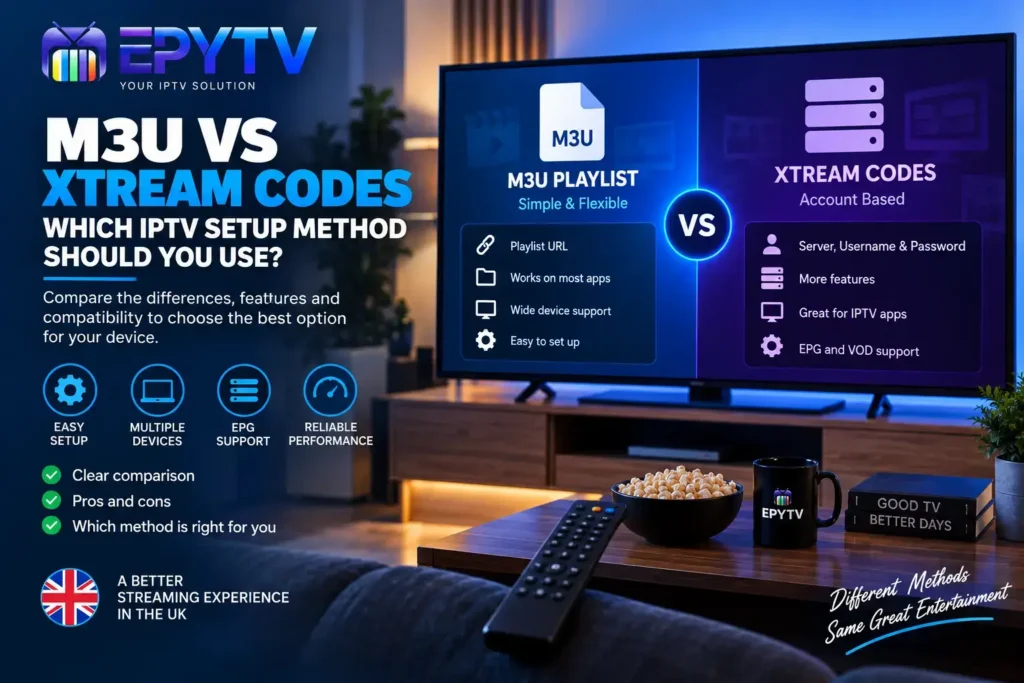
When setting up IPTV, you may be given two different options for connecting your service: an M3U playlist or Xtream Codes. Both methods can be used to load IPTV content into compatible applications, but they work differently and the setup experience can vary depending on your device and IPTV player.
READY TO GET STARTED?
Choose Your IPTV UK Plan
Set up your IPTV service on your compatible device and enjoy a simple viewing experience.
Easy Setup • Secure Payment • Flexible Viewing
What Is the Difference Between M3U and Xtream Codes?
Both M3U and Xtream Codes are commonly encountered when configuring an IPTV player, but they are not exactly the same thing.
An M3U playlist is a playlist file or URL containing channel and media information that an IPTV application can read.
Xtream Codes is an account-based login method supported by many IPTV applications. Instead of entering one long playlist URL, the application may ask for a server address, username and password.
The important point is that the available features depend on the IPTV service and the application you are using. Some IPTV players support both methods, while others may support only certain connection types.
What Is an M3U Playlist?
M3U is a playlist format that can contain information about media streams. In IPTV, an M3U playlist can be provided as a URL or sometimes as a file.
When an IPTV application loads an M3U playlist, it reads the information contained in the playlist and uses it to display available channels and categories.
An M3U playlist can contain information such as:
- Channel names
- Stream URLs
- Channel groups or categories
- Channel identifiers
- Additional metadata supported by the IPTV application
The exact information included depends on how the playlist has been created and what your IPTV application supports.
How Does M3U IPTV Setup Work?
The exact process varies between applications, but the general setup is straightforward.
- Open a compatible IPTV application.
- Select the option to add a playlist.
- Choose the M3U or playlist URL option.
- Enter the playlist URL supplied by your IPTV service.
- Give the playlist a name if requested.
- Save the configuration.
- Allow the application to load the available channels.
Once the playlist has loaded successfully, you can normally browse the channels and categories supported by the playlist.
What Are Xtream Codes?
Xtream Codes is a commonly supported IPTV login method where the application uses account information to retrieve the available IPTV data.
Instead of entering one complete M3U playlist URL, a compatible application may ask for three separate pieces of information:
- Server URL
- Username
- Password
The application uses these details to connect to the service and retrieve the information it supports.
How Does Xtream Codes Setup Work?
On an IPTV player that supports this login method, the setup generally looks like this:
- Open your IPTV application.
- Select the option to add a new account or playlist.
- Choose Xtream Codes or a similar account-login option.
- Enter the server information supplied by your IPTV service.
- Enter your username.
- Enter your password.
- Save the account.
- Wait for the application to load the available categories and channels.
The exact wording and layout can vary from one IPTV application to another.
M3U vs Xtream Codes: Quick Comparison
The easiest way to understand the difference is to compare the setup experience and the type of information each method uses.
| Feature | M3U Playlist | Xtream Codes |
|---|---|---|
| Setup Method | Playlist URL or file | Server, username and password |
| Application Support | Supported by many IPTV players | Supported by many IPTV players |
| Playlist Management | Based around the playlist | Based around account information |
| EPG | Depends on playlist and app | Depends on service and app |
| Credentials | Usually one playlist URL | Username and password with server information |
Which IPTV Setup Method Is Easier?
There is no single answer because it depends on the application you are using and how your IPTV service provides its connection information.
For some users, entering one M3U URL is simple and straightforward. For others, entering a server address, username and password through an Xtream Codes login can be easier to manage.
The best approach is usually to use the connection method that is supported by both your IPTV UK service and your chosen IPTV application.
M3U vs Xtream Codes on Smart TV
Smart TV users have a wide range of IPTV applications available depending on their television platform and region.
Some applications allow you to add an M3U playlist, while others provide an Xtream Codes login option or support both.
If you are setting up IPTV on a Samsung, LG, Android TV or Google TV device, check the application’s available connection methods before choosing how to configure your service.
For a complete installation overview, see our guide on how to install IPTV on a Smart TV in the UK.
M3U vs Xtream Codes on Firestick
Fire TV devices are commonly used with IPTV applications that support different playlist and account formats.
If your selected application supports both M3U and Xtream Codes, you can normally choose the method supplied by your IPTV service.
For example, if you receive an M3U playlist URL, use the application’s playlist option. If you receive server, username and password information for an Xtream Codes login, use the corresponding account option.
Do not enter Xtream Codes credentials into an M3U field or an M3U URL into a username field. The information needs to be entered in the appropriate section of the application.
If you are new to Firestick IPTV setup, our IPTV on Firestick guide explains the general installation process.
EPG Support With M3U and Xtream Codes
EPG, or Electronic Programme Guide, is another area where IPTV users often have questions.
Both M3U and Xtream Codes setups can be associated with programme-guide information, but the exact behaviour depends on the IPTV service and the application.
An M3U playlist may contain information that helps an IPTV player identify channels and associate guide data. Some applications may also allow separate EPG configuration.
With an Xtream Codes login, compatible applications may retrieve supported guide information as part of the account data.
For more information about how IPTV programme guides work, read our complete guide to IPTV EPG in the UK.
Does M3U Give Better IPTV Quality Than Xtream Codes?
The connection method itself should not automatically determine the video quality.
Video quality depends on several factors, including the stream source, your internet connection, device performance, application behaviour and the quality of the available stream.
Using an M3U playlist instead of Xtream Codes does not automatically make a stream HD, Full HD or 4K.
If you experience buffering, changing the login method is not necessarily the first thing you should do. It is better to check your connection, device and application configuration first.
Our guide to IPTV buffering and how to fix it covers the most common causes.
Common M3U Problems
Although M3U setup is generally simple, users can encounter a few common problems.
Invalid M3U URL
If the playlist URL is incorrect, incomplete or has expired, the application may not be able to load the playlist.
Playlist Not Loading
If the URL is correct but the playlist does not load, check your internet connection and make sure the IPTV application supports the playlist format you are using.
Channels Missing
A playlist may not always contain every category or channel you expect. Check whether the playlist has loaded completely and whether the application has filtered or grouped channels.
EPG Not Showing
The channels can sometimes load successfully while programme information remains unavailable. In this situation, check the EPG settings and the guide information supplied with your service.
Common Xtream Codes Problems
Xtream Codes setup can also produce errors when the account information is entered incorrectly.
Incorrect Username or Password
Check that the username and password have been entered exactly as provided. Avoid adding spaces at the beginning or end.
Incorrect Server Address
The server address needs to be entered in the correct field and format supported by your IPTV application.
Account Expired
If your account is no longer active, the application may fail to retrieve the available IPTV information.
Connection Error
A connection error can be caused by incorrect account details, network problems, temporary service issues or an application configuration problem.
Which Method Works Better With IPTV Apps?
The answer depends mainly on the IPTV application you have selected.
Some applications are designed around playlist URLs, while others provide a more account-focused interface. Many modern IPTV players support multiple input methods.
Before choosing an IPTV application, check which setup options it provides.
If you are comparing different players, take a look at our guide to the best IPTV apps in the UK.
Can You Change From M3U to Xtream Codes?
In some cases, yes, but this depends on the IPTV service and application.
If your service provides both connection methods, you can normally add the account using the method supported by your preferred application.
However, an M3U playlist and Xtream Codes login are not simply two different passwords for the same interface. They are different ways of providing information to a compatible IPTV player.
If you want to change methods, use the connection details specifically supplied for that method rather than trying to convert information manually.
Which Method Should You Choose?
Instead of choosing based purely on the name of the method, consider your device and IPTV application.
| Your Situation | What to Consider |
|---|---|
| You have an M3U URL | Use an IPTV player that supports M3U playlists. |
| You have Xtream Codes details | Use a compatible player with an Xtream Codes login option. |
| Your app supports both | Follow the connection method supplied by your IPTV service. |
| EPG is important to you | Check how your chosen app handles EPG data before setup. |
| You use multiple devices | Choose an application that supports the same connection method across your devices where possible. |
What Should You Check Before Setting Up IPTV?
Before adding an IPTV playlist or account, check a few basic things.
- Make sure your device has a stable internet connection.
- Check that your IPTV application supports your preferred setup method.
- Keep your M3U URL or account details available.
- Enter login information carefully.
- Check whether EPG information is supported.
- Make sure your IPTV application is compatible with your device.
- Use the official setup information supplied with your service.
Doing these checks first can prevent many of the common setup errors users encounter.
M3U vs Xtream Codes for UK IPTV Users
For IPTV users in the UK, there is no universal setup method that applies to every device or application.
Your Smart TV, Firestick, Android TV device or other compatible hardware may support different IPTV applications, and each application can have its own setup options.
The most practical approach is to start with the connection details supplied by your IPTV service and then choose an application that supports those details.
Once your IPTV account is connected, you can configure features such as favourites, categories and EPG depending on what the application supports.
Frequently Asked Questions
What is an M3U playlist?
An M3U playlist is a playlist format that can contain information used by compatible IPTV applications to load channels and media streams.
What are Xtream Codes?
Xtream Codes is an account-based IPTV connection method supported by many IPTV applications. Compatible apps may ask for a server address, username and password.
Is M3U better than Xtream Codes?
Neither method is automatically better for every user. The appropriate choice depends on the IPTV service, application and device you are using.
Can I use M3U on Firestick?
Yes, if your chosen Fire TV IPTV application supports M3U playlists. The exact setup steps depend on the application.
Can I use Xtream Codes on Smart TV?
Yes, when the IPTV application installed on your Smart TV supports an Xtream Codes-style login.
Does Xtream Codes include EPG?
EPG availability depends on the IPTV service and the application. A compatible Xtream Codes setup may provide guide information, but the exact behaviour varies.
Does M3U support EPG?
M3U playlists can be used with IPTV applications that support programme-guide information, but the availability and configuration of EPG data depends on the playlist and application.
Can I use the same IPTV account with M3U and Xtream Codes?
That depends on what your IPTV service provides. Some services may provide both connection methods, while others may provide only one.
Does M3U or Xtream Codes reduce buffering?
The connection method itself does not guarantee less buffering. Buffering can be affected by internet stability, Wi-Fi, device performance, application configuration and the stream itself.
Final Thoughts
M3U and Xtream Codes are two different ways of connecting an IPTV application to the information supplied by an IPTV service.
M3U generally revolves around a playlist URL or file, while Xtream Codes uses account information such as a server address, username and password in compatible applications.
The right option depends on what your IPTV service provides, which application you want to use and which devices you have. There is no need to choose one method simply because it is more popular; compatibility and ease of setup are usually more important.
Whether you are using a Smart TV, Firestick or Android TV device, start by checking the connection methods supported by your IPTV application. Then use the corresponding information supplied by your IPTV service.
Once the basic connection is working, you can move on to features such as EPG, favourites, categories and other settings supported by your chosen IPTV player.
READY TO GET STARTED?
Choose Your IPTV UK Plan
Set up your IPTV service on your compatible device and enjoy a simple viewing experience.
Easy Setup • Secure Payment • Flexible Viewing