
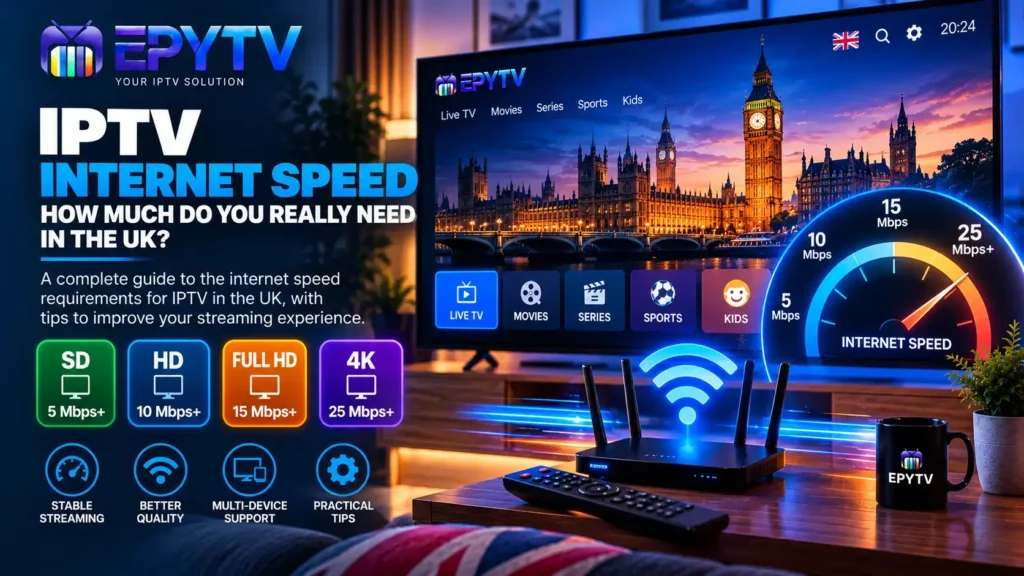
Your internet connection plays an important role in IPTV streaming. If the connection is too slow or unstable, you may experience buffering, poor picture quality, freezing or interruptions. But how much internet speed do you actually need for IPTV in the UK?
The answer depends on the video quality you are watching, the number of devices using your connection and the stability of your network. In this guide, we explain the general internet speed requirements for SD, HD, Full HD and 4K IPTV, along with practical ways to improve your connection.
READY TO GET STARTED?
Choose Your IPTV UK Plan
Set up your IPTV service on your compatible device and enjoy a simple viewing experience.
Easy Setup • Secure Payment • Flexible Viewing
How Much Internet Speed Do You Need for IPTV?
There is no single internet speed that guarantees perfect IPTV playback. Different streams can use different amounts of bandwidth, and your actual experience also depends on network stability, Wi-Fi quality, the IPTV application, your streaming device and the source of the stream.
As a general starting point, lower-resolution streams require less bandwidth, while Full HD and 4K streams require more.
| IPTV Quality | General Speed Guideline | Recommended For |
|---|---|---|
| SD | Around 5 Mbps+ | Basic streaming and smaller screens |
| HD | Around 10 Mbps+ | Everyday HD streaming |
| Full HD | Around 15 Mbps+ | Modern Full HD televisions |
| 4K UHD | Around 25 Mbps+ | Compatible 4K TVs and devices |
These figures should be treated as general guidelines rather than guarantees. A connection with higher download speed can still experience buffering if it has poor stability, high latency, Wi-Fi interference or heavy network congestion.
What Is Internet Bandwidth?
Internet bandwidth is the amount of data that can be transferred through your connection over a period of time. It is usually measured in megabits per second, or Mbps.
When you watch IPTV, your device continuously receives video data from the streaming source. Higher-quality video normally contains more data, so it can require more bandwidth.
For example, an SD stream generally needs less bandwidth than a Full HD stream, while a 4K stream can require significantly more.
However, bandwidth is only one part of the equation. A fast connection that regularly drops or becomes unstable can still cause problems.
Internet Speed for SD IPTV
SD, or Standard Definition, uses a lower resolution than HD and Full HD. Because there is less video data to transfer, SD streams generally have lower bandwidth requirements.
Around 5 Mbps can be a useful starting point for SD streaming, although actual requirements depend on the stream and encoding.
SD can be useful when:
- Your internet connection has limited bandwidth.
- You are watching on a smaller screen.
- The original channel is only available in SD.
- You want to reduce bandwidth usage.
On a large modern television, however, SD content may appear softer because the lower-resolution image is being displayed across a larger screen.
Internet Speed for HD IPTV
HD provides more detail than SD and generally requires more bandwidth. Around 10 Mbps can be a reasonable starting point for HD streaming, although the actual requirement varies by stream.
HD can be a good balance for everyday IPTV viewing when you want better image quality without the higher bandwidth requirements associated with 4K.
If your internet connection is around this range, make sure other devices on the network are not consuming most of the available bandwidth at the same time.
Internet Speed for Full HD IPTV
Full HD usually refers to 1920 × 1080 resolution. It provides more detail than standard HD and is widely used on modern televisions and streaming devices.
Around 15 Mbps can be used as a general starting point for Full HD streaming. However, having 15 Mbps available does not automatically guarantee smooth playback.
If other people in your home are streaming, gaming, downloading large files or using video calls, your IPTV device may have less available bandwidth.
For a better understanding of the differences between resolutions, read our guide to IPTV picture quality: SD vs HD vs Full HD vs 4K.
Internet Speed for 4K IPTV
4K UHD provides a much higher resolution than Full HD and can require considerably more bandwidth.
Around 25 Mbps is a useful general starting point for 4K streaming, but the exact requirement depends on the video encoding, bitrate and stream.
If you are planning to watch 4K IPTV, it is also important to consider the rest of your network. A 4K stream running on a connection shared with several other devices may experience problems even if your broadband package advertises a high maximum speed.
Does Faster Internet Always Mean Better IPTV?
No. A faster internet package can provide more available bandwidth, but speed alone does not determine IPTV performance.
Consider two connections:
- Connection A offers 100 Mbps but has unstable Wi-Fi.
- Connection B offers 50 Mbps with a stable connection.
Depending on the situation, Connection B may provide a better streaming experience because stability matters as well as maximum download speed.
Other factors include:
- Wi-Fi signal strength
- Network congestion
- Latency
- Packet loss
- Router performance
- Device performance
- IPTV application performance
- Quality of the individual stream
Download Speed vs Upload Speed for IPTV
When watching IPTV, download speed is generally more important because your device is receiving video data from the streaming source.
Upload speed is more relevant for activities where you are sending data to the internet, such as uploading files or participating in certain video calls.
This means that when checking your internet connection for IPTV, you should pay particular attention to your download performance and connection stability.
How Many Mbps Do You Need for Multiple IPTV Devices?
If you have several TVs or streaming devices using IPTV at the same time, your total bandwidth requirement can increase.
For example, one device watching an HD stream uses less bandwidth than three devices simultaneously streaming HD or Full HD content.
| Setup | What to Consider | Connection Advice |
|---|---|---|
| 1 IPTV device | One active stream | Allow enough bandwidth for your chosen quality |
| 2 IPTV devices | Two simultaneous streams | More available bandwidth may be required |
| 3+ IPTV devices | Several simultaneous streams | Consider total network usage and router capacity |
Remember that your IPTV devices are not necessarily the only devices using your home connection. Phones, computers, game consoles, tablets and other Smart TVs can all consume bandwidth.
Why IPTV Buffers Even With Fast Internet
One of the most common questions from IPTV users is why buffering happens despite having a fast broadband connection.
There are several possible reasons.
Weak Wi-Fi Signal
Your broadband connection may be fast, but your television may receive a weak wireless signal. Walls, floors, furniture and distance from the router can all affect Wi-Fi performance.
Too Many Connected Devices
If multiple devices are actively downloading or streaming at the same time, the available bandwidth is shared between them.
Network Congestion
Internet performance can change depending on network conditions. Your local network can also become busy when several people are using it simultaneously.
Device Performance
An older streaming device may struggle with certain high-resolution streams even when the internet connection itself is fast enough.
Stream-Specific Problems
If only one channel buffers while other channels work normally, the problem may be related to that particular stream rather than your internet connection.
For a complete troubleshooting process, see our guide on IPTV buffering in the UK.
Wi-Fi vs Ethernet for IPTV
Both Wi-Fi and Ethernet can be used for IPTV, but the better choice depends on your home network and the location of your device.
| Connection | Advantages | Possible Limitation |
|---|---|---|
| Wi-Fi | Easy installation and no cable required | Can be affected by distance and interference |
| Ethernet | Stable wired connection | Requires a network cable and compatible port |
If your IPTV works well near the router but buffers when the TV is farther away, Wi-Fi coverage could be part of the problem.
How to Improve Internet Speed and Stability for IPTV
If IPTV is buffering or the picture quality keeps dropping, there are several things you can test before changing your broadband package.
1. Restart Your Router
Restarting your router can sometimes resolve temporary network problems. Turn it off, wait briefly and turn it back on.
2. Move the Router
If possible, position the router in a more central and open location rather than inside a cabinet or behind other equipment.
3. Use Ethernet
If your TV, Android TV device or streaming box supports Ethernet, try a wired connection when Wi-Fi is unreliable.
4. Reduce Unnecessary Network Usage
Pause large downloads, cloud backups or other bandwidth-heavy activities while testing IPTV subscription performance.
5. Restart the Streaming Device
Restarting your Smart TV, Android TV device or Firestick can clear temporary problems that affect playback.
6. Test Different Channels
Try several channels. If only one channel has problems, your internet connection may not be the main cause.
7. Check the IPTV Application
An IPTV player can sometimes cause playback issues. Check whether an update is available or test another compatible player.
You can compare different options in our guide to the best IPTV apps in the UK.
Internet Speed for IPTV on Smart TV
Smart TVs are commonly used for IPTV because the application can run directly on the television without requiring another streaming device.
However, the TV’s Wi-Fi adapter, operating system and application can all affect performance.
If you use IPTV on a Samsung, LG or another compatible Smart TV, check whether the TV is receiving a strong network signal.
You can follow our IPTV Smart TV setup guide for more information.
Internet Speed for IPTV on Firestick
Fire TV devices are another popular option for IPTV. The actual performance can vary depending on the Firestick model, Wi-Fi connection and application being used.
If you are using a Firestick and experiencing buffering, check your Wi-Fi signal and test another channel before assuming that you need a faster internet package.
Our IPTV on Firestick guide covers installation and common performance issues.
Internet Speed for IPTV on Android TV
Android TV devices can support different IPTV applications and video resolutions. If you are using Full HD or 4K content, make sure your Android TV device and television support the required resolution.
A stable connection is particularly important when streaming higher-quality video.
If you use Android TV, see our complete Android TV IPTV setup guide.
Does 4K IPTV Need Faster Internet?
Generally, yes. Higher-resolution video usually requires more data to be delivered to your device.
4K IPTV can therefore require more bandwidth than Full HD, HD or SD. But the exact requirement depends on the stream’s bitrate and encoding rather than resolution alone.
If you have a 4K television, it is also important to make sure that the IPTV stream itself is actually available in 4K. A 4K television cannot turn a lower-resolution source into genuine 4K detail.
Can VPNs Affect IPTV Internet Speed?
A VPN can add another step between your device and the internet service you are accessing. Depending on the VPN, server location and network conditions, this can affect connection speed or latency.
If you are troubleshooting IPTV performance, test your connection under the same conditions you normally use for streaming. If you use a VPN, compare the connection with and without it where appropriate and where permitted by the relevant service terms.
How to Test Your Internet Speed for IPTV
A speed test can give you a useful indication of your current download performance. Ideally, perform the test on the same device or in a similar location to where you watch IPTV.
For example, testing your phone next to the router may produce a very different result from testing a Smart TV in another room.
When testing, pay attention to:
- Download speed
- Upload speed
- Latency or ping
- Connection consistency
Run the test at different times if you suspect that performance changes during busy periods.
What Internet Package Should You Choose for IPTV?
If IPTV is one of the main reasons you are choosing a broadband package, do not look only at the maximum advertised download speed.
Think about how many people use the connection and how many devices are normally active at the same time.
| Household Usage | What to Consider |
|---|---|
| Light usage | One IPTV stream and basic browsing |
| Moderate usage | IPTV plus phones, laptops and other streaming |
| Heavy usage | Several IPTV streams, gaming, downloads and multiple users |
The more devices you have connected, the more useful additional bandwidth can become.
Common IPTV Internet Speed Problems
| Problem | Possible Cause | What to Try |
|---|---|---|
| Constant buffering | Unstable connection or network congestion | Check speed, Wi-Fi and other devices |
| Blurry picture | Low-quality source or compression | Test another channel and resolution |
| Freezing | Network or stream issue | Restart device and test another stream |
| Slow loading | Network or application problem | Check connection and IPTV app |
| Only one channel fails | Channel-specific issue | Try other channels |
Frequently Asked Questions
What is the minimum internet speed for IPTV?
There is no universal minimum because requirements depend on the stream. As a general guide, around 5 Mbps can be suitable for SD, around 10 Mbps for HD, around 15 Mbps for Full HD and around 25 Mbps for 4K. These figures are guidelines rather than guarantees.
Is 10 Mbps enough for IPTV?
10 Mbps may be enough for some HD IPTV streams, especially when the connection is stable and not heavily shared with other devices. Higher-quality streams may require more bandwidth.
Is 20 Mbps enough for IPTV?
20 Mbps can be enough for many HD and Full HD streaming situations, but the available bandwidth is shared with other devices and actual stream requirements can vary.
How much speed do I need for 4K IPTV?
Around 25 Mbps is a useful general starting point for 4K streaming, but the exact requirement depends on the stream’s bitrate, encoding and your network conditions.
Why does IPTV buffer with 100 Mbps internet?
A high advertised speed does not eliminate problems caused by weak Wi-Fi, network congestion, packet loss, device limitations or an issue with a particular stream.
Does Ethernet improve IPTV?
Ethernet can provide a more stable connection than Wi-Fi in situations where wireless interference or weak signal strength is causing problems.
Does IPTV use a lot of data?
IPTV can use significant amounts of data because video streaming continuously transfers content to your device. Higher-resolution streams generally use more data than lower-resolution streams.
Can multiple TVs use IPTV at the same time?
That depends on the IPTV service and its connection limits. From a network perspective, multiple simultaneous streams also increase the amount of bandwidth being used.
Final Thoughts
The right internet speed for IPTV depends on more than the number shown by your broadband provider. SD, HD, Full HD and 4K streams have different bandwidth requirements, while Wi-Fi quality, network congestion, device performance and stream quality can all affect playback.
As a general starting point, around 5 Mbps may be enough for SD, 10 Mbps for HD, 15 Mbps for Full HD and 25 Mbps or more for 4K. These numbers should be treated as guidelines rather than guarantees.
If your IPTV is buffering despite having a fast connection, look beyond download speed. Check your Wi-Fi signal, restart your router and streaming device, test another channel and consider Ethernet if it is available.
A stable connection is often more useful than simply choosing the highest possible internet package.
READY TO GET STARTED?
Choose Your IPTV UK Plan
Set up your IPTV service on your compatible device and enjoy a simple viewing experience.
Easy Setup • Secure Payment • Flexible Viewing